STARKIT® Installation Guide
STARKIT® 1.0.0
Pre-Step
01
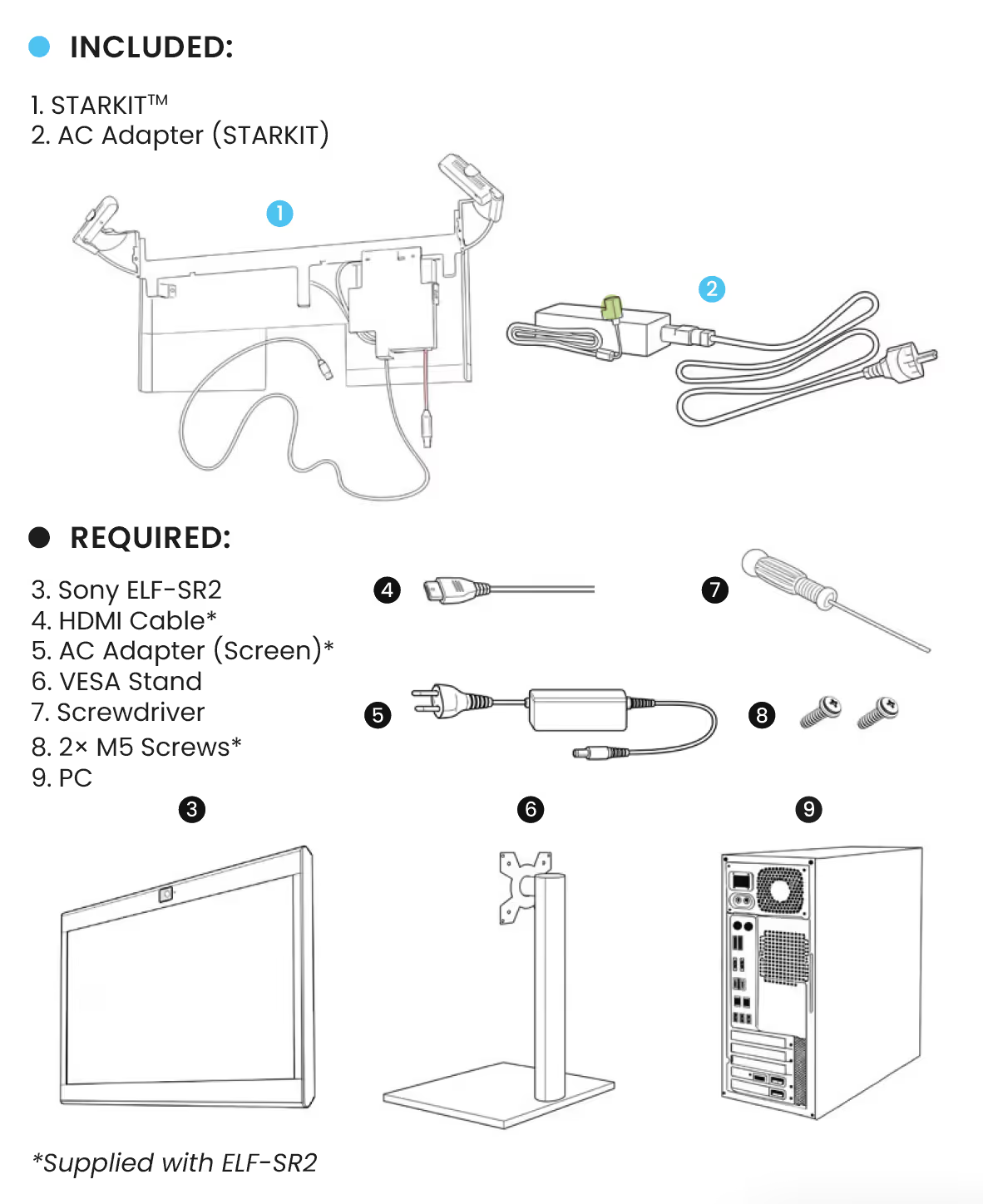
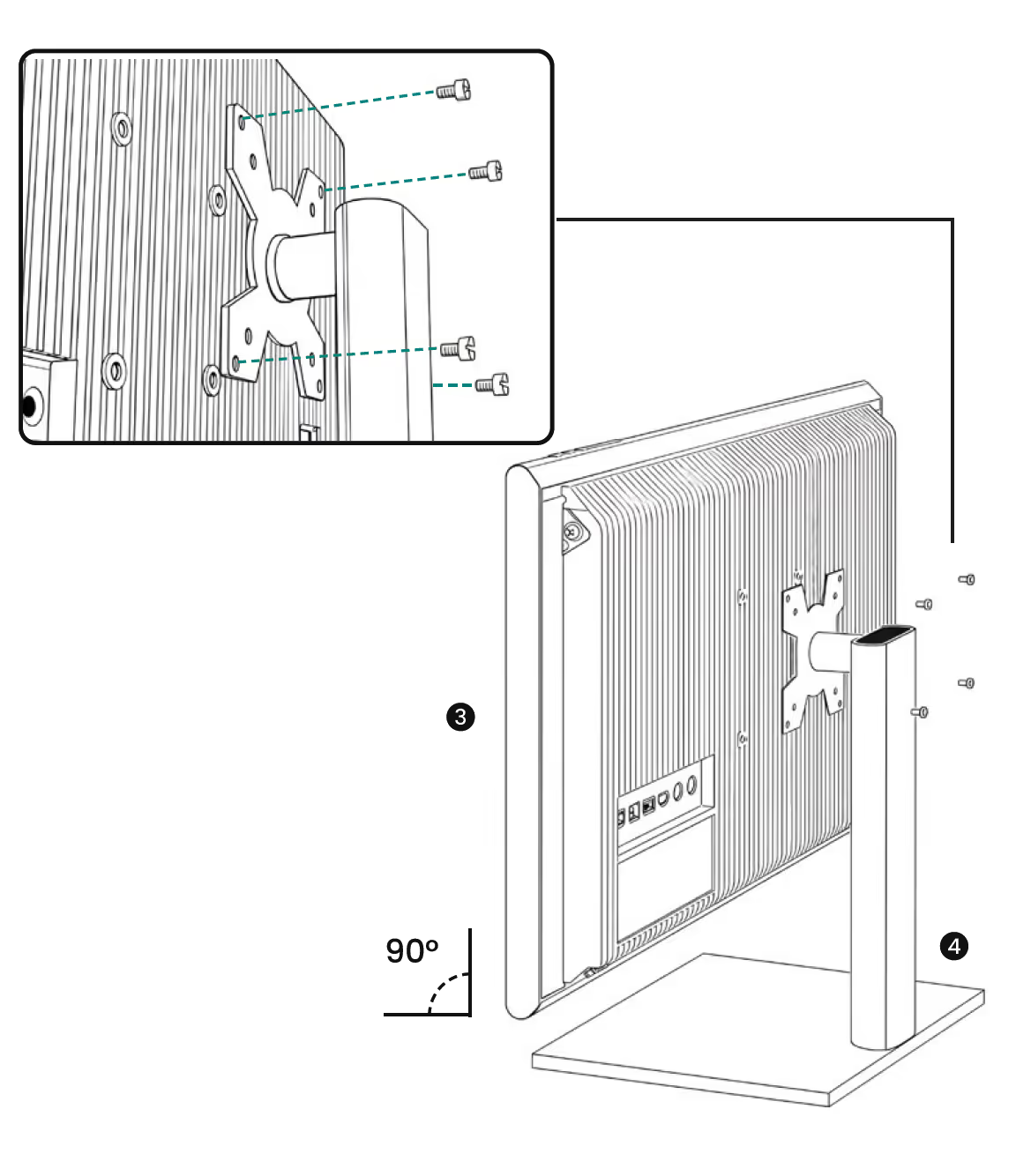
Mount the (3) ELF-SR2 to a (4) VESA monitor stand.
02
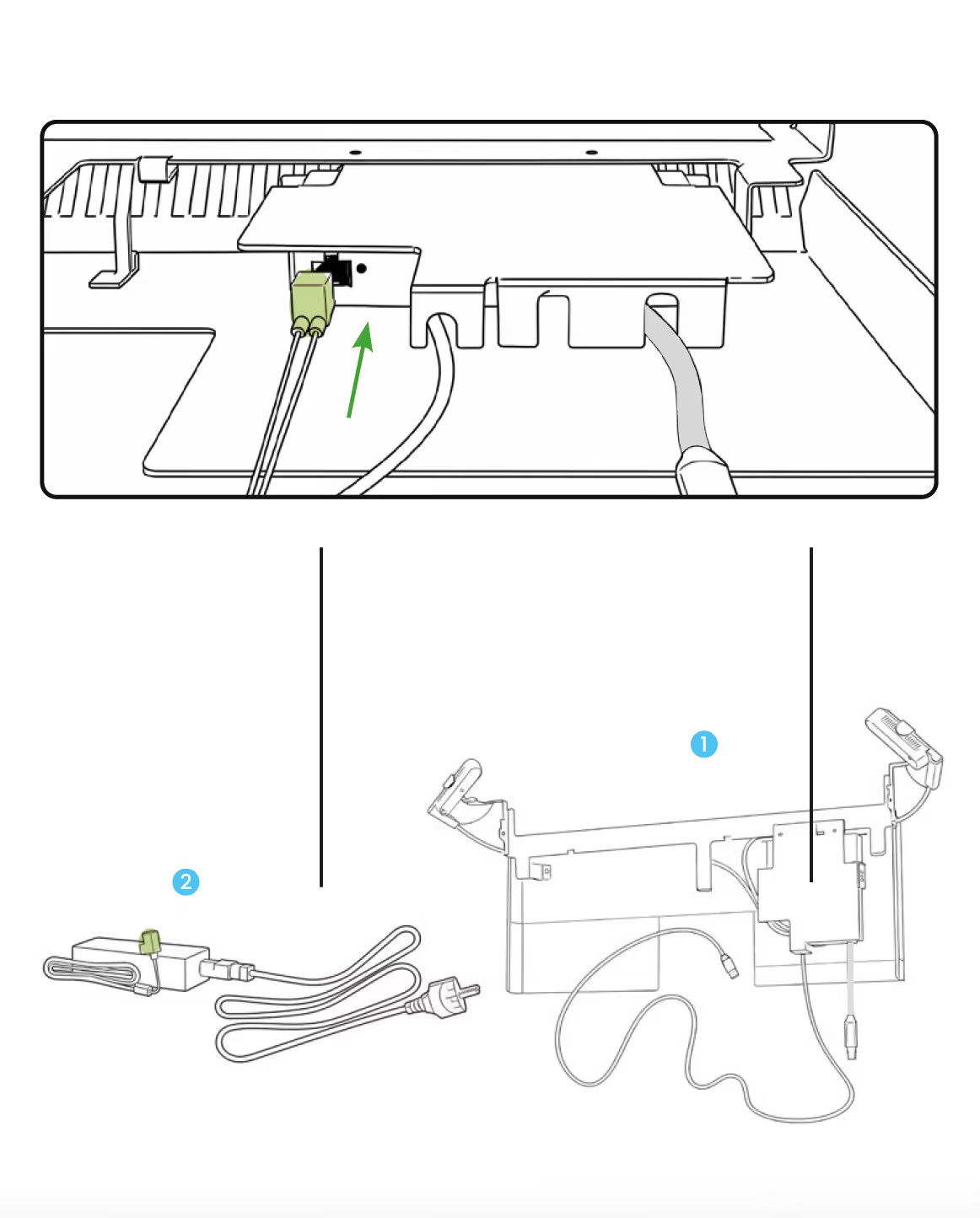
Plug (2) AC Adapter connection into the (1) STARKIT USB-hub.
03
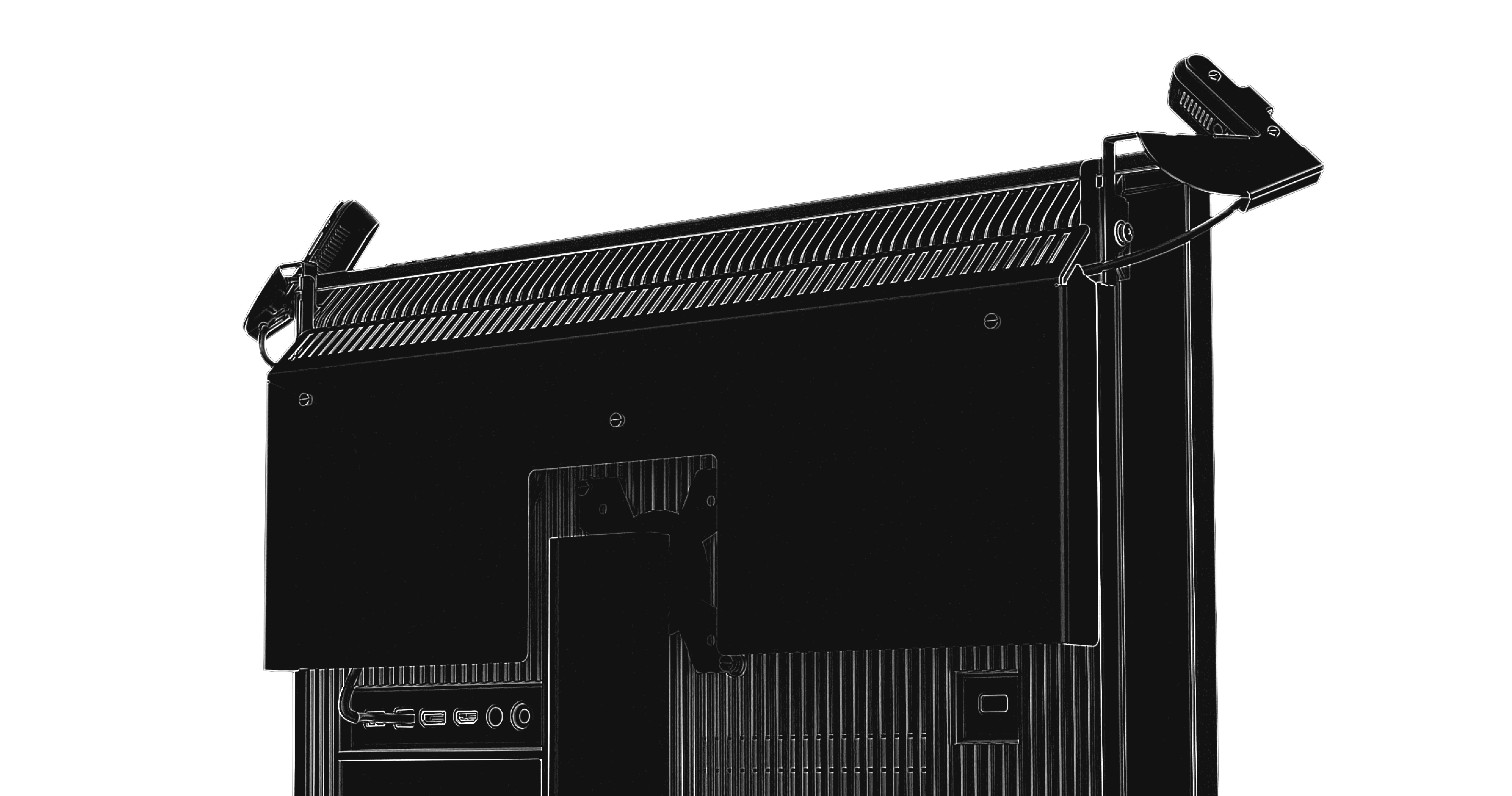
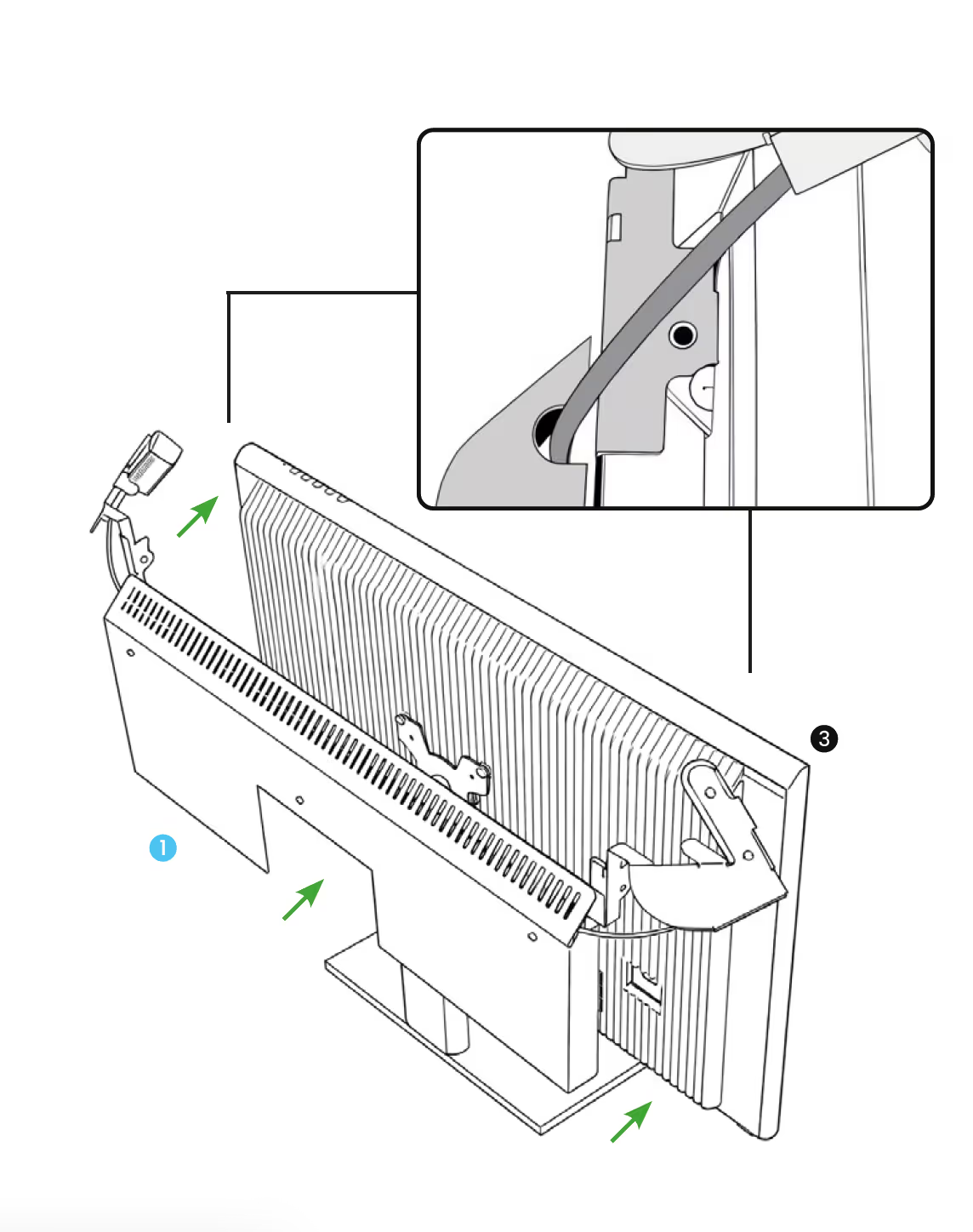
Align (1) STARKIT to (3) ELF-SR2 screw holes.
04
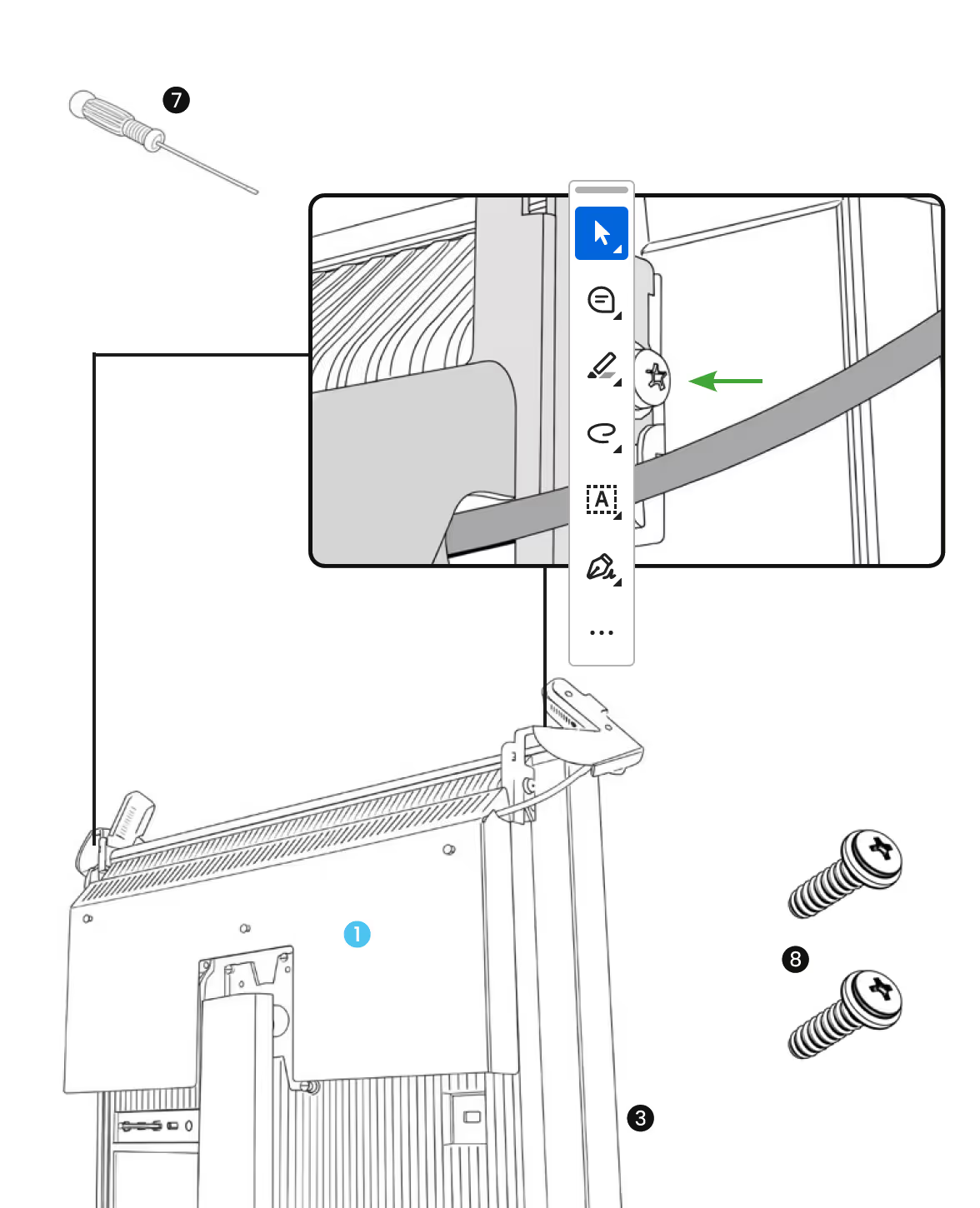
(7) Screw the (8) 2× M5 screws into the (3) ELF-SR2.
05
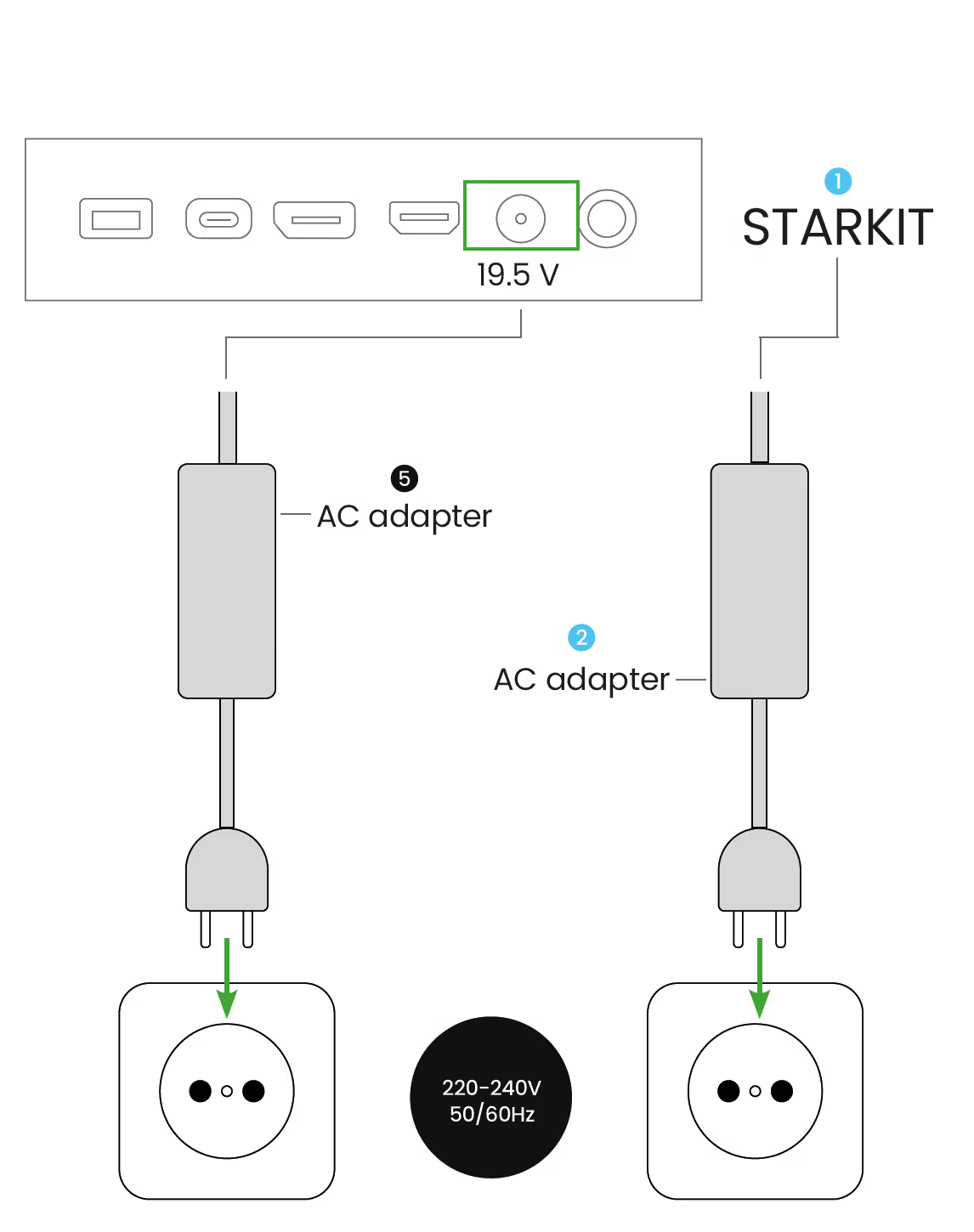
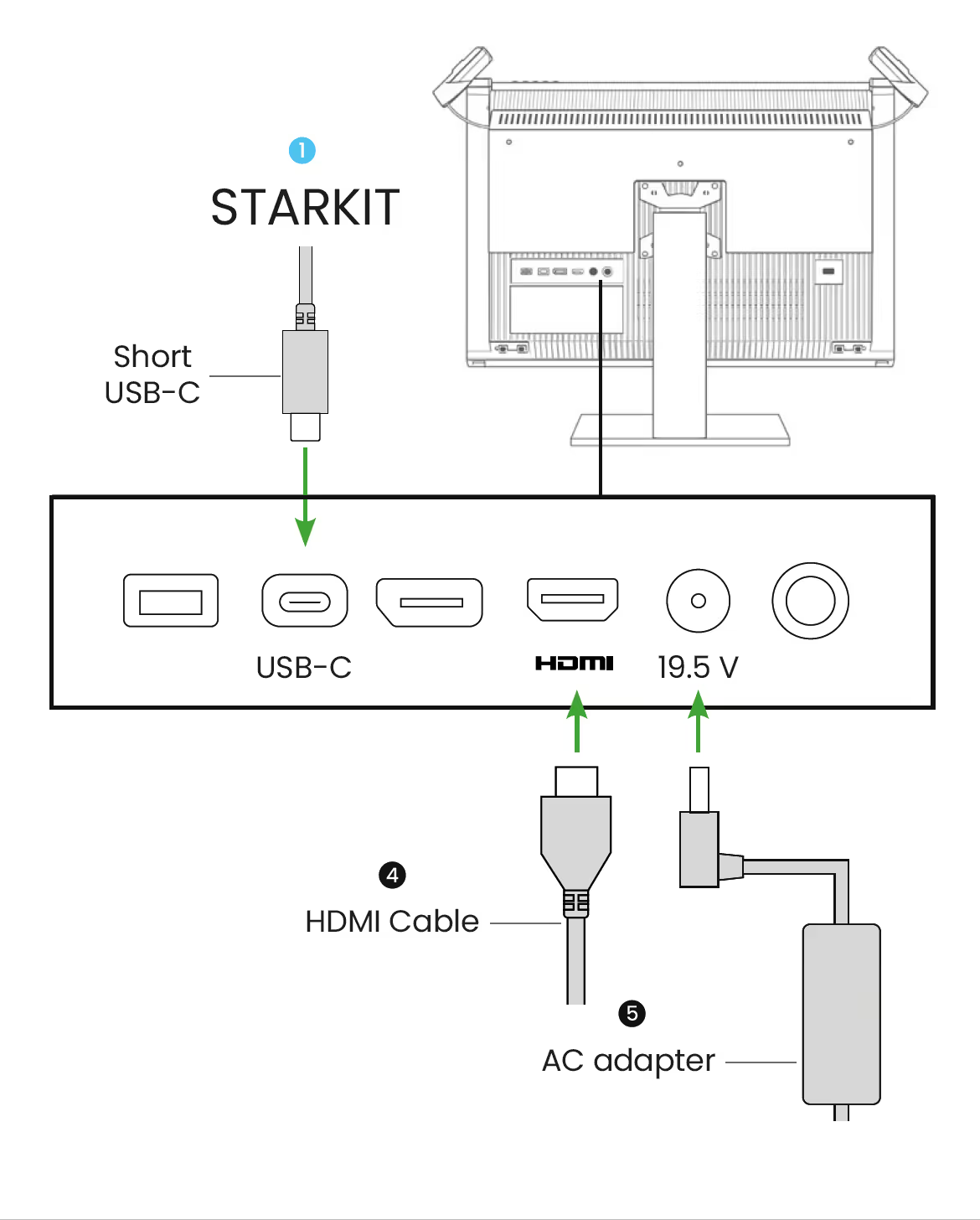
Connect the (1) short USB-C, (4) HDMI cable and (5) AC adapter to ELF-SR2 display.
06
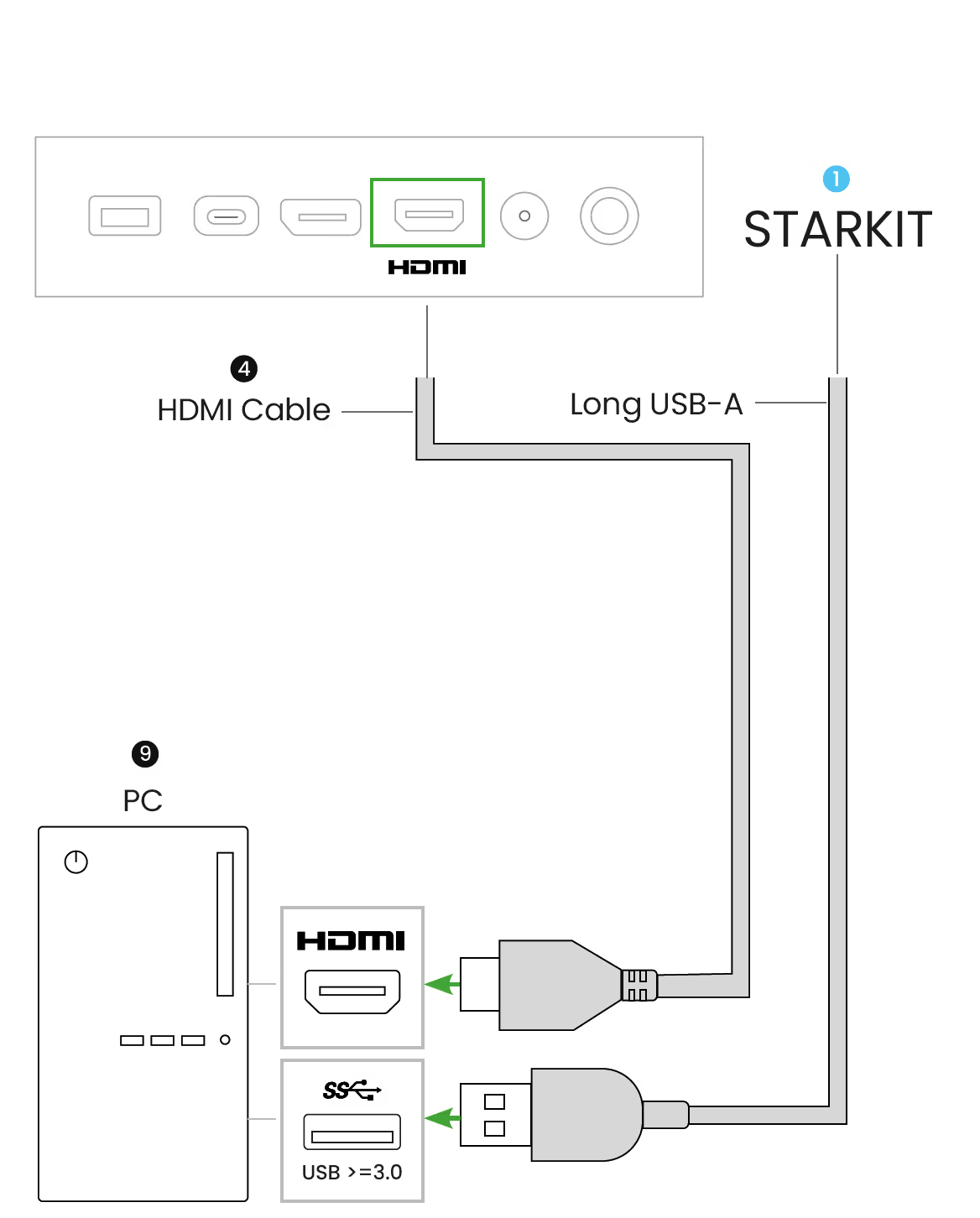
Connect the long (1) USB-A and (4) HDMI cable into the (9) PC.
07
Plug both (5) (2) AC Adapters into a power outlet.